

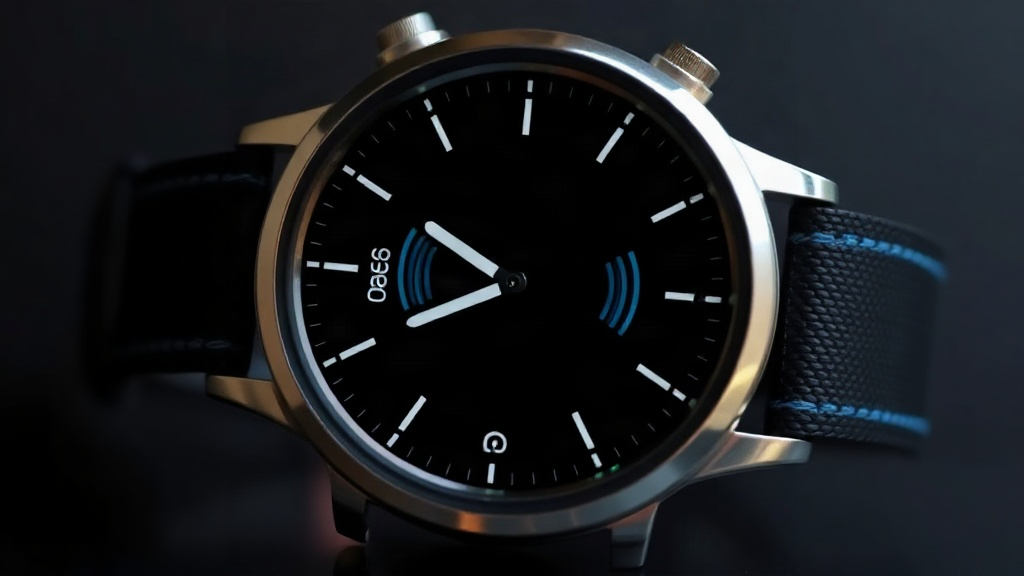
Your watch buzzes during a meeting, then again at dinner, and by evening you are tempted to switch everything off. The choice between do not disturb vs silent mode is really a question about what you want to interrupt you and what you only want to quiet. A smartwatch can be a helpful filter for notifications, or a source of constant distraction, depending on how you configure it. Readers who check resources like //dailypeter.com/ for practical device advice often ask which setting to use first. This guide explains how each mode works, when each one fits, and how to combine them for a calmer day.
Quick answer: Silent mode mutes sounds and vibrations but still lets alerts arrive and light up the screen, while do not disturb blocks most alerts from reaching you at all. Use silent mode when you want to stay quietly informed, such as in a meeting or at the cinema. Use do not disturb when you need genuine focus or rest, such as during sleep or deep work.
What is do not disturb vs silent mode?
Both settings reduce how much your watch interrupts you, but they act at different layers of the notification chain. Silent mode changes how an alert announces itself. Do not disturb changes whether the alert reaches you in the first place.
In silent mode, a message, call, or app notification still arrives on the watch. The screen may light up, and a small banner may appear. What disappears is the sound and, on most devices, the vibration or haptic tap on your wrist. On watches without a speaker, that mostly means the haptic motor goes quiet. The watch stays connected and current, but it stops tapping you.
Do not disturb goes further. The watch suppresses most incoming alerts so the screen stays dark and your wrist stays still. Your phone still receives the messages, and they remain in the notification list. They simply do not surface on your wrist until you leave the mode or check the watch manually.
How each setting behaves in practice
- Silent mode: Visual alerts still appear; haptics and sound stop. Good for a lecture, a theater, or a quiet office.
- Do not disturb: Alerts are held back or hidden; the screen stays quiet. Good for sleep, focus blocks, and family time.
- Alarms and timers: Most watches keep alarms working in both modes, though behavior varies by brand, so check yours once.
A simple analogy helps. Silent mode turns down the volume on a conversation; do not disturb asks people to stop talking to you for a while. The first keeps you informed without noise, while the second gives you a break from information itself.
The exact behavior depends on your watch model. Some watches let you allow repeat callers or favorite contacts through do not disturb. Others silence everything. Test each mode once so you know what to expect.
Takeaway: Silent mode quiets the alert, while do not disturb blocks it. Choose based on whether you want to stay informed or stay undisturbed.
Why do not disturb vs silent mode matters
Picking the wrong mode creates two opposite problems. You either miss something time-sensitive, or you stay tethered to every ping during a moment that deserved your attention. Neither outcome is restful.
Consider a nurse waiting for a family message about a sick parent. Silent mode is the better fit. The watch stays quiet enough not to disturb a patient room, but a glance at the wrist still reveals whether the message arrived. Do not disturb would hide that information until later.
Now consider a deep work session on a tight deadline. Silent mode still lights the screen with every marketing email. Each flash pulls your eyes down for a moment, and those moments add up. Do not disturb removes the visual pull entirely. You check messages when you choose to, not when they choose you.
The attention cost of a lit screen
A screen that lights up is not neutral, even when it makes no sound. Your eyes register the movement, and your attention briefly shifts. Over a full workday, dozens of small shifts can fragment concentration. Do not disturb is the more protective setting for tasks that need sustained thought.
Your wrist also becomes a kind of notification audit. If you leave every alert on all day, you train yourself to check the watch constantly. Modes give you a way to declare boundaries without turning the device off entirely. That matters for sleep quality too, since a watch that taps your wrist at 2 a.m. can break a light sleep cycle for a message that could have waited.
The practical value is control. One setting handles noise, the other handles access. You decide which kind of quiet your current moment needs, and the watch respects that decision.
Takeaway: The right mode protects your attention and preserves important alerts. The wrong mode either distracts you or hides something you needed to see.
Best practices
A useful routine is to match the setting to the activity, not to the hour on the clock. The same setting rarely fits an entire day.
- Set a sleep schedule. Schedule do not disturb to start 30 minutes before bed and end with your alarm. This keeps late messages from tapping your wrist while you fall asleep.
- Use silent mode for public settings. Cinemas, meetings, lectures, and places of worship call for quiet but not blindness. Silent mode keeps information available without sound.
- Switch to do not disturb for focus blocks. When you sit down for concentrated work, block alerts for 60 to 90 minutes. Check the watch at the end of the block.
- Allow repeat callers. Most watches and phones let a second call from the same number within a few minutes bypass do not disturb. This protects you from missing genuine emergencies.
- Use workout modes thoughtfully. A fitness session usually warrants silent or even normal alerts if you track heart rate or pace. A sudden loud ping mid-run is harmless; a hidden safety call is not.
- Review allowed contacts monthly. Over time, allowed lists grow crowded. Prune anyone who no longer needs a pass-through.
If you want to keep your wrist completely still while staying reachable, turn off smartwatch sound and decide separately whether you want visual alerts to appear. The two choices can work together.
A simple daily pattern
| Moment | Better setting | Why |
|---|---|---|
| Overnight sleep | Do not disturb | Prevents wrist taps and screen light that break sleep |
| Office meetings | Silent mode | Keeps visual awareness without sound |
| Focus work | Do not disturb | Removes the visual pull of each alert |
| Workouts | Silent mode | Allows pace and safety alerts without noise |
| Family dinner | Do not disturb | Protects conversation time |
Takeaway: Change the setting as your day changes. A schedule handles sleep automatically, and manual switches handle focus and social moments.
Common mistakes to avoid
The most frequent error is leaving do not disturb on for hours without noticing. Because it hides alerts so effectively, it can also hide a callback you were waiting for. Set a duration when the mode starts, such as one hour or until you leave a location. Relying on an open-ended switch invites forgotten messages.
The opposite mistake is relying on silent mode for sleep. A lit screen in a dark bedroom is more disruptive than many people expect. It draws the eye even when no sound plays. Do not disturb is the better fit for the bedside.
A third issue is the assumption that alarms are always exempt. Most watches do keep alarms and timers working, but a few models apply the mode to everything. Read your watch’s settings once, then trust that knowledge.
Two more habits deserve attention. People allow too many contacts through do not disturb, which gradually weakens the mode. And people skip the silent setting entirely, preferring all sound or none, which removes the middle option that suits many public spaces. The best configuration is the one you can explain to yourself in a sentence: for example, "Sleep is do not disturb, meetings are silent, and everything else rings as normal."
Takeaway: Set limits on how long do not disturb stays active, test your alarms, and keep your allowed contacts short.
FAQ
Is do not disturb the same as turning the watch off?
No. Do not disturb keeps the watch connected and tracking your activity and sleep. It only suppresses incoming alerts until you exit the mode or check manually.
Will I still see messages on my phone during do not disturb?
Yes. Notifications arrive on the paired phone as normal. The watch simply does not surface them on your wrist.
Which setting is better for a job interview?
Silent mode is the safer choice because it lets visual alerts arrive without sound. If your phone stays in a bag, do not disturb is fine. An alarm still rings either way on most watches.
Can I schedule these modes automatically?
Most smartwatches support a scheduled bedtime or focus routine. You can typically set do not disturb to start and stop at fixed times, while manual switches handle the rest of the day.
Does silent mode save battery?
Usually, yes, by a small amount, because the vibration motor and speaker draw power. The savings are minor compared with the screen and sensors.
Conclusion
The do not disturb vs silent mode choice comes down to one question: do you want to be quietly informed or genuinely left alone? Silent mode keeps alerts visible but quiet, while do not disturb holds them back so your wrist stays still. Most people need both, rotating between them as the day shifts from meetings to focus to sleep. Start tonight by scheduling do not disturb for your bedtime, then add silent mode to your next meeting. Small switches like these turn a noisy device into a considerate one.

Leave a Reply