

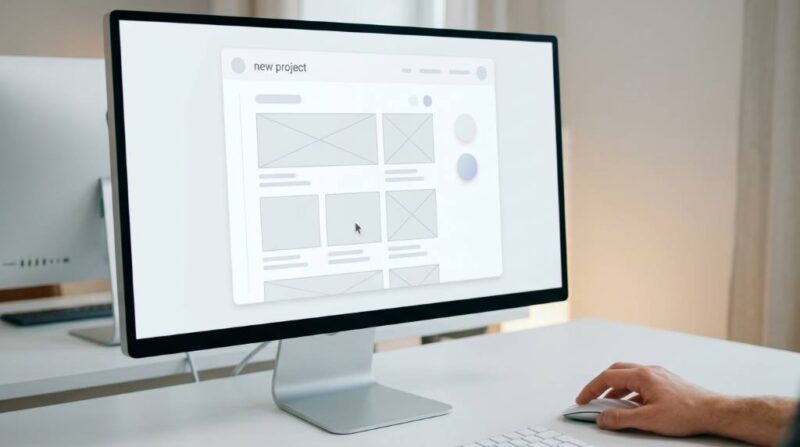
Building your online presence has never been easier, and you do not need to write a single line of code to get started. According to a 2023 Adobe survey, 38% of people will stop engaging with a website if the content or layout is unattractive, making design quality more important than ever. Additionally, over 1.9 billion websites exist on the internet today, so standing out with a strong portfolio is critical. If you have been wondering how to create a portfolio website without coding, this guide gives you every practical step you need to launch a professional site fast and confidently.
Why You Need a Portfolio Website Now
A portfolio website works as your personal brand hub on the internet. It gives potential clients, employers, and collaborators a place to discover your work at any time. Without one, you risk losing opportunities to competitors who are easier to find online. Studies show that 85% of hiring managers search for candidates online before making contact. Therefore, having a polished digital presence is no longer optional but essential.
Benefits of Having a Portfolio Website
- Showcases your best work in one organized, professional space
- Builds credibility and trust with clients or employers
- Helps you rank on Google for your name or niche keywords
- Operates as a 24/7 sales tool that works even while you sleep
- Gives you full control over your personal brand narrative
Choosing the Right No-Code Website Builder
The first real step in learning how to create a portfolio website without coding is picking the right platform. Dozens of website builders exist today, but not all of them are suited for portfolio purposes. You want a platform that offers beautiful templates, fast loading speeds, and easy drag-and-drop editing. The right choice depends on your goals, budget, and the type of work you want to showcase. Below are the top platforms worth considering.

Top No-Code Platforms Compared
| Platform | Best For | Starting Price |
|---|---|---|
| Wix | Beginners and creatives | Free / $17/mo |
| Squarespace | Designers and photographers | $16/mo |
| Webflow | Advanced no-code users | Free / $14/mo |
| Cargo | Artists and visual creatives | $13/mo |
| Format | Photographers and illustrators | $7/mo |
Wix is the most beginner-friendly option and offers over 800 templates to choose from. Squarespace, on the other hand, is well known for its polished aesthetic and is popular among designers and photographers. Webflow gives you more design control without requiring code, making it ideal for those who want a more customized output. Each platform offers a free trial or a free tier so you can explore before committing. Therefore, try at least two platforms before making a final decision.
Planning Your Portfolio Structure Before You Build
Most people skip the planning phase and then struggle with a disorganized website. Before you touch any builder, map out the pages you need and the content that goes on each one. A clear structure helps visitors navigate easily and helps search engines understand your site. Planning also saves you significant time during the actual building process. Think of your portfolio structure as the blueprint before construction.
Essential Pages Every Portfolio Website Needs
1. Home Page: Your home page is the first impression visitors get, so make it count. It should clearly communicate who you are, what you do, and who you serve. Include a strong headline, a brief tagline, and a call-to-action button above the fold. Avoid cluttering it with too many elements, because simplicity converts better.
2. About Page: This page builds a personal connection with your audience. Tell your story in a way that is genuine, focused, and relevant to your target clients or employers. Mention your background, your skills, and what makes you different. Keep it concise, because most visitors spend less than 60 seconds on this page.
3. Portfolio or Work Page: This is the heart of your website and where your projects live. Organize your work into clear categories so visitors can find relevant examples quickly. Use high-quality images, project descriptions, and outcomes wherever possible. Always show your best work first, because visitors rarely scroll deep enough to see everything.
4. Services or Skills Page: List what you offer clearly and use language your audience actually searches for. Break down each service with a short description and the results clients can expect. If you are job-seeking rather than freelancing, turn this into a skills page with proficiency levels. Either way, make the value of working with you immediately clear.
5. Contact Page: Make it effortless for people to reach you by keeping your contact page simple and direct. Include a contact form, your email address, and links to your active social profiles. Adding a response time expectation, such as “I typically respond within 24 hours,” increases trust. Avoid asking for too much information on the form, because friction reduces submissions.
How to Create a Portfolio Website Without Coding: Step-by-Step
Now that your plan is ready, it is time to build. This section walks you through the entire process of how to create a portfolio website without coding using a platform like Wix or Squarespace. The steps below apply broadly to most no-code tools with minor variations. Follow them in order for the smoothest experience possible.
Step 1: Sign Up and Pick a Template
Go to your chosen platform and create a free account using your email address. After signing up, browse the available templates and filter by “portfolio” or your specific industry. Choose a template that closely matches the look and feel you want, because customization is easier when the base is already aligned. Avoid templates that require too many changes, as they cost more time upfront. Click to preview a template before selecting it so you can see how it looks on both desktop and mobile.
Step 2: Customize Your Design
Most no-code builders use a drag-and-drop editor where you can click any element and change it instantly. Start by updating the color palette to match your personal brand colors. Then, change the fonts to something that reflects your style, whether that is modern, elegant, or minimal. Replace all placeholder images with your own high-quality visuals right from the start. Consistent design choices across every page make your portfolio look far more professional.
Step 3: Add and Organize Your Content
Begin filling in your pages with real content, starting with your home page headline and bio. Write your About page in the first person and keep the focus on what you can do for your audience. Upload your best projects to the portfolio page with titles, descriptions, and outcome metrics wherever available. Use bullet points and short paragraphs so your content stays easy to scan on any device. Always proofread before publishing, because typos damage credibility instantly.
Step 4: Optimize for Mobile
Over 60% of web traffic now comes from mobile devices, so your portfolio must look great on smaller screens. Most no-code platforms offer a mobile preview mode that lets you see and adjust your layout for phones. Check that all text is readable without zooming, buttons are large enough to tap, and images are not cut off. Rearrange sections if needed, because what looks good on desktop may not translate automatically to mobile. Test on an actual smartphone before going live, not just in the browser preview.
Step 5: Set Up Your Domain Name
A custom domain like yourname.com makes your portfolio look far more professional than a platform subdomain. Most builders let you purchase a domain directly within the platform or connect one you already own. Choose a domain name that includes your name or a relevant keyword for better SEO performance. Keep it short, easy to spell, and free of hyphens or numbers wherever possible. A branded domain signals to clients and employers that you take your work seriously.
Step 6: Publish and Test Your Website
Before hitting publish, run through your entire site one more time as if you were a first-time visitor. Click every button, check every link, and read every page for errors or inconsistencies. Make sure your contact form is working and actually sends submissions to your inbox. After publishing, view the live site on both desktop and mobile to catch any last issues. Share the link with a trusted friend or colleague and ask for honest feedback before promoting it widely.
SEO Tips to Help Your Portfolio Rank on Google
Building a beautiful site is only half the battle, because no one will find it without basic SEO. Search engine optimization helps Google understand what your site is about and who it should show it to. Fortunately, most no-code platforms make basic SEO easy with built-in tools. You do not need any technical knowledge to apply these practices effectively. Follow these steps consistently and your portfolio will gain organic visibility over time.
Key On-Page SEO Actions
- Write a unique page title for every page that includes relevant keywords
- Add a meta description of 140 to 160 characters to each page
- Use descriptive ALT text on every image you upload to the site
- Include your name and profession naturally in your homepage text
- Add your city or region if you serve local clients, as it boosts local search rankings
- Compress images before uploading to keep your site loading fast
- Link between your pages internally to help visitors and search engines explore your content
Common Mistakes to Avoid When Building Your Portfolio
Even with the best tools, beginners often make errors that hurt their portfolio’s effectiveness. Knowing what to avoid saves you time and improves your results significantly. These mistakes are easy to fix once you know what to look for. Review this list carefully before and after you launch your site. A small adjustment can make a meaningful difference in how visitors respond to your portfolio.
Mistakes That Hurt Your Portfolio
- Showing too much work: Quality always beats quantity; include only your best 6 to 10 projects
- Using low-quality images: Blurry or pixelated visuals instantly reduce perceived professionalism
- Forgetting a call-to-action: Every page should guide visitors toward a clear next step
- Neglecting page load speed: Slow sites frustrate visitors and rank lower on Google
- Skipping testimonials: Social proof dramatically increases trust and conversion rates
- No contact information: Make it easy for people to reach you, or they simply will not
How to Maintain and Update Your Portfolio Over Time
Launching your portfolio is the beginning, not the end of the process. Regularly updating your site keeps it relevant and signals to search engines that it is active. Set a reminder every 60 to 90 days to review your content, add new projects, and refresh outdated information. Remove old work that no longer represents your current skill level or direction. An updated portfolio consistently performs better than a static one left untouched for months.
Conclusion
Learning how to create a portfolio website without coding is one of the most valuable investments you can make in your career or freelance business. Modern no-code tools have made it completely accessible for anyone, regardless of technical background or budget. By following the steps in this guide, you can go from zero to a live, professional portfolio in just a few hours. Choose your platform, plan your structure, build with intention, and optimize for both visitors and search engines. Start building your portfolio website today and take the first step toward the opportunities you deserve.
Frequently Asked Questions
Can I really create a portfolio website without coding?
Yes, modern no-code platforms like Wix, Squarespace, and Webflow let anyone build a professional portfolio using simple drag-and-drop tools.
Which is the best free platform to build a portfolio website?
Wix offers the most generous free plan with hundreds of templates, making it the top choice for beginners on a tight budget.
How long does it take to build a portfolio website without coding?
Most people can build and publish a basic portfolio website in just a few hours using a no-code builder with a ready-made template.
Do I need a custom domain for my portfolio website?
While not required, a custom domain like yourname.com makes your portfolio look significantly more professional and improves SEO performance.
How often should I update my portfolio website?
You should review and update your portfolio at least every 60 to 90 days to add new work, remove outdated content, and keep your site current.

Leave a Reply